
The Best Equipment for Singers (2026)
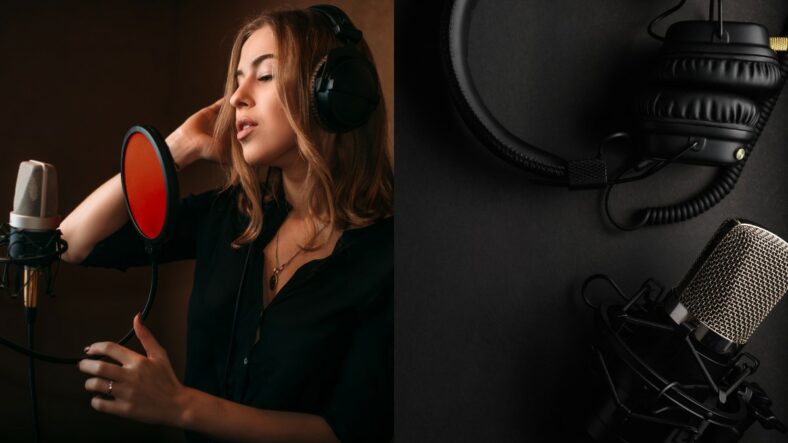
Aspiring and professional singers alike understand the importance of having the right equipment to enhance their vocal performance and recording sessions. To help you navigate the world of audio gear, we’ve compiled a comprehensive guide to the best equipment for singers. From microphones to recording accessories, we’ll explore each essential category, providing high-quality information to empower you on your musical journey.
Contents
- Get a Quality Microphone
- Quality Headphones Make a Big Difference
- Audio Interface: Very Important for Great Audio Recording Quality
- DAW (Digital Audio Workstation): Your Creative Hub
- Monitors: Crisp and Clear Sound
- Mic Stand (or Boom Arm): Stability and Flexibility
- Pop Filter: Eliminate Plosives
- Essential Cables: Connecting the Dots
- acoustic treatment (or Vocal Booth): Sonic Clarity
- Conclusion
Get a Quality Microphone
Microphones come in various types, each uniquely suited to different recording scenarios. For vocal recording and singing on the stage, you will deal with two main types of mics.
Dynamic Microphones: Dynamic mics excel in live performances due to their lower sensitivity. They thrive with louder sound sources and offer durability and versatility, minimizing the risk of distortion or overload.
Condenser Microphones: These mics, often termed studio microphones, boast high sensitivity, capturing every sonic nuance. They typically require external power, known as phantom power, supplied by mixers or audio interfaces. Condenser microphones come in two main categories:
Small-Diaphragm Condensers: Ideal for instrument recording in studios.
Large-Diaphragm Condensers: Primarily used for capturing vocals.
Shure SM58

The SM58-LC version does not include an XLR cable. Use it with a PA, mixer or audio interface that has a microphone input.
The most popular dynamic mic for live use
As one of the most popular mics for live use, the Shure SM58 is a legendary microphone known for its remarkable durability and exceptional sound quality. Its rugged construction ensures it can handle the demands of live performances, making it a staple for vocalists and public speakers worldwide. The SM58 offers a clear, warm, and well-defined vocal reproduction, with a cardioid pickup pattern that effectively minimizes background noise. Its versatility and reliability have made it a go-to choice for professionals and beginners alike.
The Rode NT1 (5th Gen)
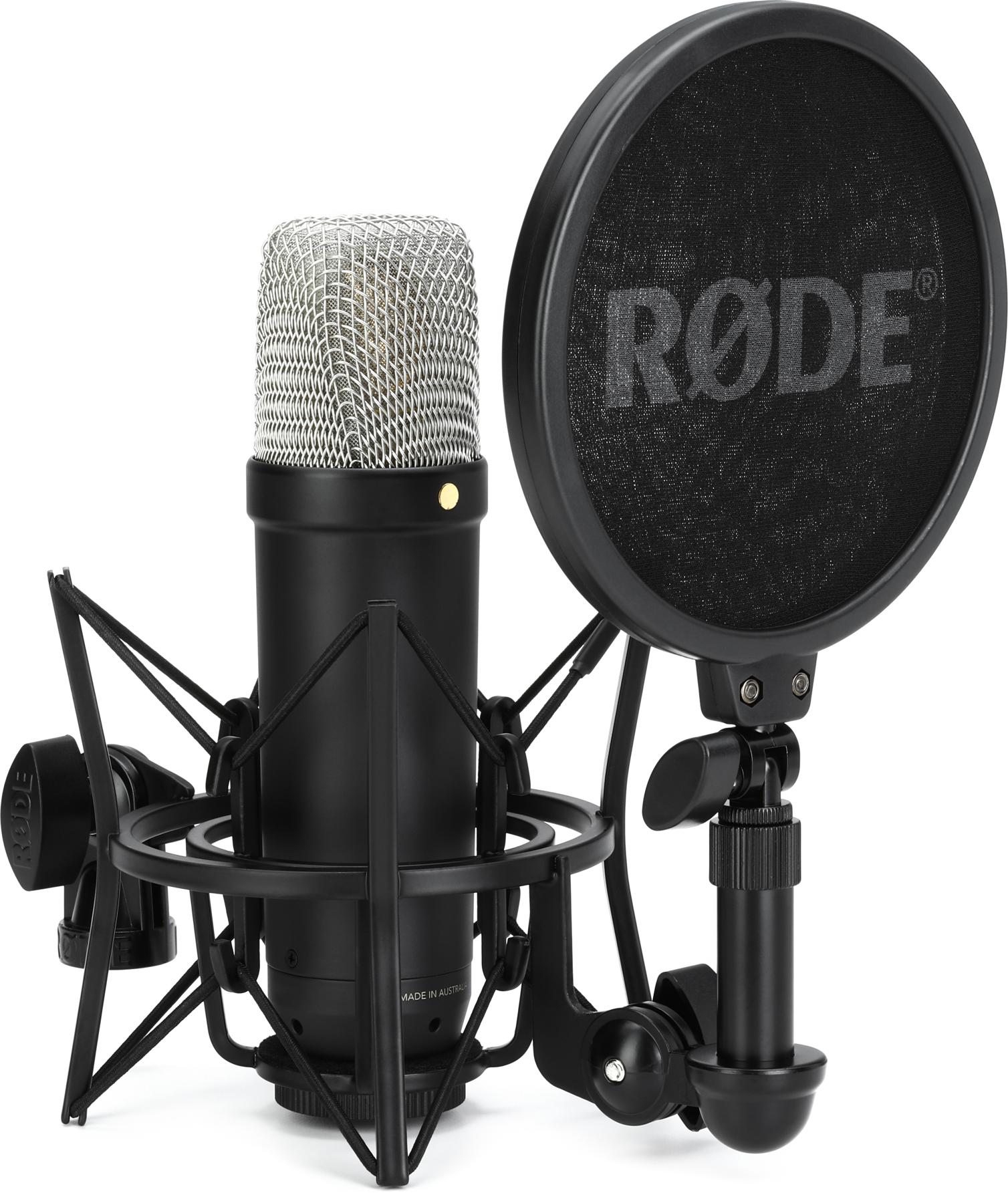
The black NT1 5th Generation can record through XLR with an audio interface or connect directly to a computer over USB. The linked black bundle includes the SM6 shockmount and pop filter, so you do not need to buy another pop screen for this setup.
Whisper-quiet studio condenser mic for recording with exceptional clarity and detail
The Rode NT1 (5th Gen) is a standout condenser microphone renowned for its studio-grade sound and whisper-quiet performance. Its ultra-low self-noise level, coupled with a large diaphragm, ensures pristine vocal recordings with exceptional clarity and detail. The NT1’s transparency and wide dynamic range make it an ideal choice for capturing vocals, acoustic instruments, and delicate nuances in audio production. With its sleek design and top-tier performance, the Rode NT1 is a remarkable microphone for demanding studio environments.
Selecting an appropriate microphone is paramount, as it serves as the conduit for your voice to reach your audience or recording device. Consider the type of microphone, whether dynamic or condenser, based on your intended use. Dynamic microphones are robust and ideal for live performances, while condenser microphones are more sensitive and excel in studio settings. Look for microphones with features like adjustable polar patterns and built-in pop filters to suit your specific needs.
Quality Headphones Make a Big Difference
To achieve optimal vocal recording, it’s essential to choose headphones that offer precision and clarity, complemented by studio monitors. Here’s what to consider:
- Prioritize headphones that deliver an accurate, unaltered representation of your recordings. Look for transparency, detailed sound, a flat response, and neutral tonality.
- Effective sound isolation is crucial. It allows you to hear your music clearly while preventing unwanted noise from seeping into your microphone and affecting your recording.
- Given the extended usage during recording sessions, opt for headphones with soft ear pads that don’t cause discomfort or overheating. Consider a lightweight design and a headband that secures the ear cups without excessive pressure.
- Ensure your headphones are built to withstand daily use. Foldable options with a carry case are practical for on-the-go recording.
Quality headphones need not break the bank, as there are affordable choices available for those on a budget.
Beyerdynamic DT 770 PRO 80

Highly neutral sound with spacious soundstage and great bass
The Beyerdynamic DT 770 PRO 80 is a top choice for professional audio monitoring and critical listening. With exceptional sound isolation and comfort, these closed-back headphones offer detailed and balanced sound reproduction.
These headphones provide an accurate sound profile with clear midrange and treble, making them an ideal choice for audio professionals and music enthusiasts looking for immersive and precise audio quality. Whether you’re recording, mixing, or enjoying music, the DT 770 PRO 80 delivers exceptional sound fidelity and durability.
Monitoring your vocals with precision is imperative for both recording and live performances. Closed-back headphones provide excellent sound isolation, allowing you to focus on your performance without distractions. When choosing headphones, prioritize comfort and sound quality. Look for options with adjustable headbands and cushioned ear cups to ensure long-lasting comfort during extended use.
Audio Interface: Very Important for Great Audio Recording Quality
Audio interfaces serve as the core of any studio arrangement, acting as the crucial link between microphone and instrument signals and their conversion into a computer-friendly format. They play a pivotal role in transforming analog signals into digital audio data, facilitating manipulation within software applications known as Digital Audio Workstations (DAWs).
Whether you’re engaged in recording, music production, or the utilization of plug-ins to enhance your sound with effects, audio interfaces are indispensable components of your setup.
When buying an audio interface, focus on input-output options, compatibility, connection type, and cost.
- Choose the number of inputs and outputs based on your recording needs.
- Ensure compatibility with your operating system.
- Stick to widely compatible connection types like Thunderbolt or USB.
- Start with a basic model if you’re new to music production, and consider upgrading as you gain experience.
Focusrite Scarlett 2i2 4th Gen

The two microphone inputs let you record vocals and a second source together. Use a balanced XLR cable for the SM58 or the NT1, and enable phantom power for the NT1 when using its XLR connection. Auto Gain and Clip Safe can help you set a recording level, but you should still check levels before a take.
Very popular audio interface with great mic preamps and reliable build
The Focusrite Scarlett 2i2 4th Gen is a quality audio interface with great sound quality and affordable price tag. Featuring two ultra-low-noise preamps, low latency, and a user-friendly design, it’s ideal for musicians and producers. Its compact, durable build and essential features make it a versatile and reliable choice for high-quality audio recording.
DAW (Digital Audio Workstation): Your Creative Hub
Your choice of a DAW profoundly impacts your recording and editing process. Look for a DAW that aligns with your workflow and offers essential features like multitrack recording, audio editing tools, and a wide range of virtual instruments and effects. Compatibility with third-party plugins can expand your creative possibilities.
There are many great DAWs you can choose to work with. Each of them has its advantages and disadvantages so it comes down to your preference in the end. For Windows users, the most popular ones are Avid Pro Tools, which is used by many great artists and professional studios more for recordings, and Ableton Live, which is mostly used by DJs and more for live occasions as well as music production. You can also go with other DAWs such as Cubase, Reaper, and FL Studio.
The linked Pro Tools Artist license renews monthly. It suits singers who want to record and edit vocal takes without buying the larger Studio tier. Check the subscription terms before choosing it.
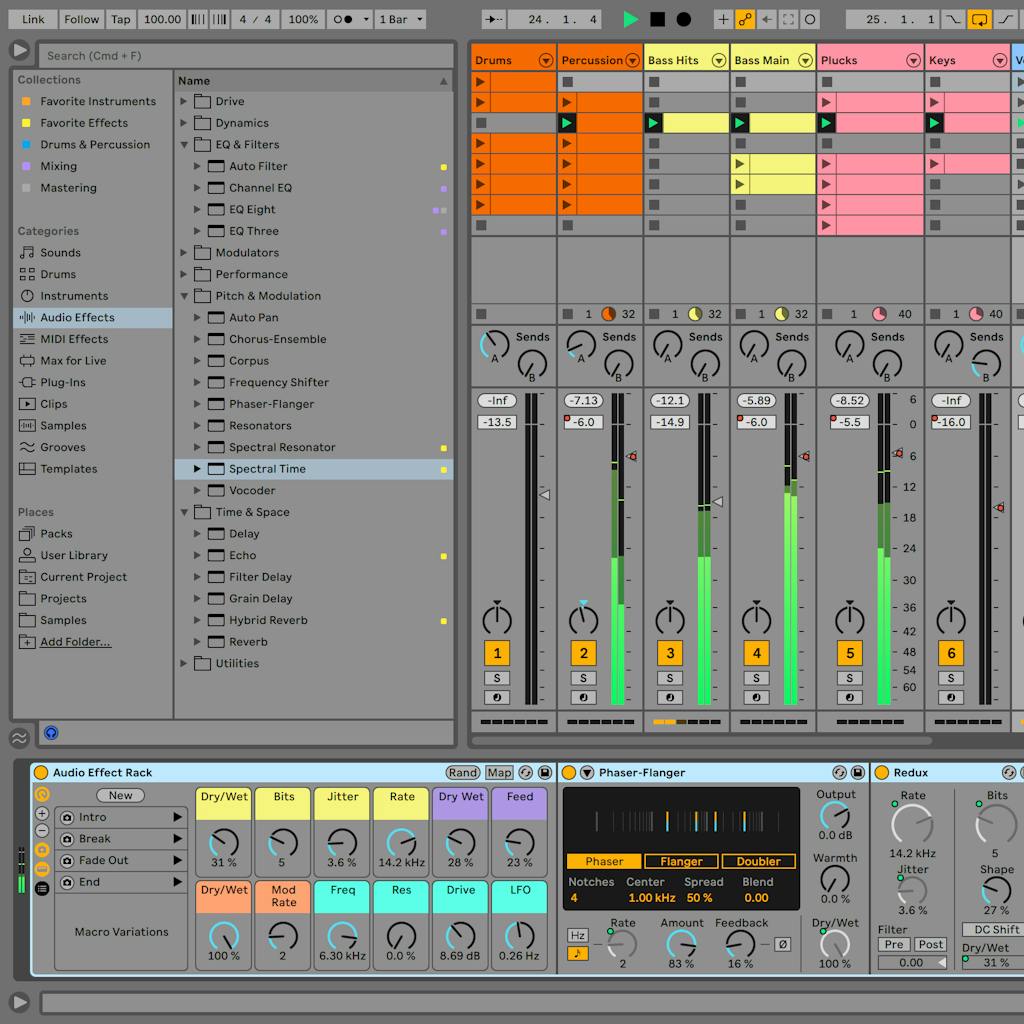
Ableton Live 12 is useful for singers who also build loops, arrange backing tracks or perform with a computer. The manufacturer link lets you compare Intro, Standard and Suite; their included instruments, effects and track limits differ.

Cubase Pro 15 is the full Pro license for recording and producing complete songs. It is worth considering if you want detailed vocal editing alongside MIDI instruments and arrangement tools. The linked version is a new license, rather than an upgrade that requires an older Cubase edition.
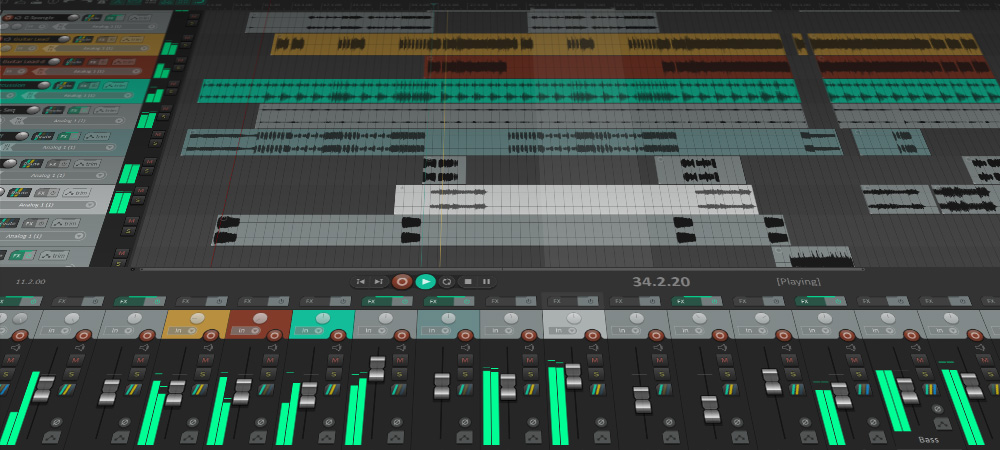
REAPER is a flexible choice for recording and editing vocals on Windows or Mac. Its evaluation lasts 60 days, after which you need a license. Check whether you qualify for the discounted license or need the commercial license.

The linked download is FL Studio Producer Edition, with audio recording for vocals and lifetime free updates to that edition. Choose it if making beats and arranging songs is central to your workflow; it is not the more limited Fruity Edition.
For Mac users, a strong DAW choice is Logic Pro, which offers quite versatile workflows, many different plug-ins, and an intuitive interface.

Logic Pro is a good fit if you already work on a compatible Mac and want recording, instruments and effects in one application. Check Apple’s current Mac requirements and choose the purchase or subscription option that suits you.
Monitors: Crisp and Clear Sound
Studio monitors are vital for accurate audio playback during mixing and recording. Choose monitors that provide a flat frequency response to ensure accurate sound representation. Nearfield monitors are suitable for small studio spaces, as they minimize room interference. Look for monitors with adjustable settings to fine-tune your listening experience.
Studio monitors are purpose-built for the utmost sonic accuracy and transparency. Unlike conventional speakers, which often tailor the sound for a pleasing listening experience in any environment, studio monitors prioritize delivering a flat, uncolored sound representation.
Consider studio monitors as mirrors for your recorded, mastered, or mixed tracks. The clearer, more neutral, and flatter the monitor’s sound, the better you can critically assess your audio. If precision is your goal in analyzing and manipulating tracks, opt for studio monitors over regular speakers or headphones. Using anything else is akin to looking into a distorted mirror that can mislead your judgment.
Yamaha HS5

Both linked offers are for one standard black Yamaha HS5 monitor. Order two for stereo monitoring. These are not the special HS5 MP matched-pair package, and neither offer includes monitor stands.
Small studio monitors with neutral and transparent sound for critical listening
A pair of Yamaha HS5 monitors offers precise studio monitoring with clear, detailed sound reproduction. Their durable build ensures longevity for extended studio sessions. These monitors provide a balanced sound profile, making them ideal for both audio professionals and musicians seeking accurate audio reference. If you prioritize transparent sound quality, a pair of Yamaha HS5 monitors is an excellent choice for your studio setup.
Mic Stand (or Boom Arm): Stability and Flexibility
A stable microphone stand or flexible boom arm is essential for positioning your microphone optimally. Ensure it is sturdy and adjustable to accommodate various recording setups. This prevents unwanted vibrations and allows for comfortable recording sessions.
When shopping for a microphone stand, several key factors should guide your decision, including comfort, durability, and weight, ensuring a lasting and convenient addition to your studio:
- Choose a mic stand that suits your preferences and working style. Different stands may have varying adjustment mechanisms, so opt for one that aligns with your needs. Some allow microphone attachment without a clip, while others require specific clips.
- A mic stand should withstand the test of time and not necessitate frequent replacement due to subpar construction. While they come in various price ranges, prioritize finding a robust option that offers longevity without breaking the bank.
- Consider the weight of the stand, as it impacts portability and ease of use. Round base stands tend to be bulkier but more stable, while tripod stands offer better mobility. Your choice should reflect your studio setup and whether you intend to travel with it. Balance your needs and goals for optimal decision-making.
Samson MK10 Stand

Sturdy, adjustable, and reliable mic stand as your studio sidekick
The Samson MK10 Stand is a reliable choice for a microphone stand. With its sturdy build and adjustable design, it offers convenience for various recording setups. Its durability and ease of use make it a practical choice for musicians and recording enthusiasts. If you’re in search of a dependable and versatile microphone stand, the Samson MK10 is an excellent option.
Rode PSA1

Industry-standard studio-quality boom arm
The Rode PSA1 is a dependable and flexible boom arm. Its durable construction and adjustable design make it suitable for various recording configurations. Whether you’re a musician, podcaster, or content creator, this microphone stand offers convenience and reliability. If you’re in the market for a versatile and trustworthy microphone stand, the Rode PSA1 is an excellent choice.
Pop Filter: Eliminate Plosives
A pop filter is a circular piece of fine mesh, typically made from metal or nylon, positioned between the singer and the microphone. Its primary function is to mitigate plosives, the pronounced sounds resulting from bursts of air produced when articulating certain letters such as B’s, P’s, or T’s.
The pop filter operates by diffusing the outgoing air in various directions. This way, it prevents the microphone from being subjected to a single forceful rush of air, which can create a much harsher sound during recording compared to what is heard in everyday conversation.
Nylon and metal pop filters can both reduce plosive bursts when positioned properly. The material alone does not guarantee a clearer recording; choose a screen that fits your stand and leaves enough space between you and the microphone.
Check the filter’s mounting clamp and gooseneck before buying. The NT1 bundle above already includes a pop screen, while a separate filter can be useful with another studio microphone.
Essential Cables: Connecting the Dots
Use balanced XLR cables between your microphone and interface, and the correct USB cable between the interface and computer. Always have spare cables on hand to avoid last-minute technical issues during recording or live performances.
XLR – FIBBR XLR Cables

This linked FIBBR cable is the short 3-foot/1-meter version, suited to a nearby desk interface. For standing performances, choose a cable long enough to reach the mixer without pulling on the microphone or stand. The Scarlett connects to the computer over USB; a generic XLR-to-USB cable is not a substitute for its microphone preamp and monitoring controls.
Durable and reliable XLR cables with braided design
The FIBBR Microphone Cable is an outstanding audio cable known for its durability and flexibility, thanks to its braided design. This balanced XLR cable ensures superior signal transmission and interference rejection, guaranteeing exceptional audio quality. Its compatibility with various equipment and rugged construction make it an ideal choice for musicians and professionals seeking reliable performance and longevity.
acoustic treatment (or Vocal Booth): Sonic Clarity
Creating a controlled recording environment is essential for achieving the best vocal recordings. Acoustic treatment panels, diffusers, and bass traps help control unwanted room reflections. Blocking outside noise requires a different approach to isolation. Portable vocal booths offer a convenient solution for achieving professional sound quality in diverse locations.
Panels – JBER 12 Pack

Affordable foam panels for reducing some room reflections
The JBER 12-pack contains thin wedge foam panels that can help reduce some high-frequency reflections around a recording area. They are a modest treatment option for a home studio, rather than a way to stop traffic, neighbors or sound leaking through walls. For fuller control of a room, thicker absorbers and bass traps are more useful than adding thin foam everywhere. Check the mounting method, and do not assume a fire rating without documented certification.
Vocal Booth – Snap Studio

Portable treatment for a drier vocal recording
The standard Snap Studio booth surrounds the singer with acoustic blankets to reduce room reflections around the microphone. Its portable frame makes it useful when you cannot treat the whole recording room permanently. Allow enough floor space for the booth and your microphone stand, and check the dimensions before buying. It helps make vocal takes drier, but it is not a soundproof room and cannot reliably block outside noise or stop your singing from being heard elsewhere.
Conclusion
In the world of singing, having the right equipment is akin to having a reliable partner. Whether recording your debut album or performing live, the gear you choose plays a pivotal role in showcasing your talent.
Remember, it’s not just about the price tag; it’s about selecting equipment that complements your unique voice and style. With the right gear, you can unlock your full vocal potential and embark on a musical journey filled with clarity, precision, and unforgettable performances. So, invest wisely, practice diligently, and let your voice soar to new heights.


